프리렌, 컨셉만 바꿔 5장 — 붙여넣으면 끝나는 에이전트 프롬프트
이미지 톤(화풍·라이팅·배경·색감)은 그대로 고정하고, 컨셉(행동·소품)만 바꿔서 뽑은 프리렌 5종입니다.
각 그림 아래 상자에 든 건 단순한 이미지 프롬프트가 아니라, Claude Code나 Codex 같은 AI 에이전트에게 통째로 붙여넣는 요청문이에요. 내 컴퓨터에 ComfyUI가 있는지 확인하고, 없으면 설치하고, 모델을 내려받고, 그림을 뽑아서 보여주는 것까지 에이전트가 알아서 진행합니다. 코딩을 전혀 몰라도 복사 → 붙여넣기면 끝.
공통 레시피
- Base: Krea-2 Turbo (fp8) · LoRA: masterpieces v5.1, strength 1.5
- Sampler Euler a · Scheduler Beta · Steps 8 · CFG 1.0 · Size 1024×1536
- 시드만 바꾸지 않고 프롬프트도 컨셉만 교체 → 같은 톤, 다른 상황.
1. 포켓볼 던지기
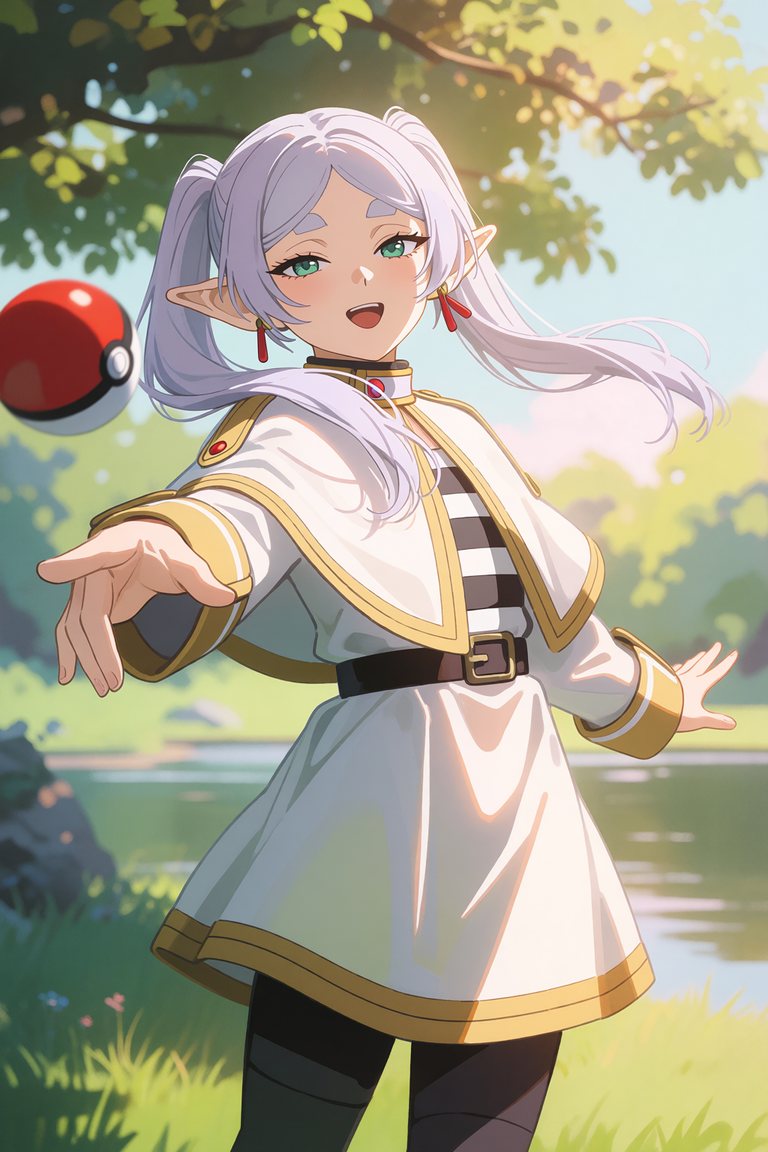
너는 내 컴퓨터에서 작업하는 AI 에이전트야. 아래 그림(프리렌 — 포켓볼 던지기)을 생성해서 나에게 보여주는 것까지가 목표야. 나는 프로그래밍을 몰라. 각 단계를 네가 직접 검증하며 진행하고, 막히면 쉬운 말로 설명하고 멈춰.

[1] 환경 확인: 내 컴퓨터에 ComfyUI가 이미 설치돼 있는지 먼저 찾아봐 (예: C:\ComfyUI, ~/ComfyUI, 실행 중인 http://127.0.0.1:8188). 있으면 그대로 쓰고 [3]으로 건너뛰어.

[2] 설치 (없을 때만): 작업 폴더(예: C:\ComfyUI)에 ComfyUI를 git clone하고, Python 3.10+ 가상환경(venv)을 만든 뒤 내 GPU에 맞는 CUDA 빌드 PyTorch와 ComfyUI requirements를 설치해. 설치 후 torch.cuda.is_available()로 GPU 인식을 확인해. NVIDIA GPU가 없으면 진행하지 말고 알려줘.

[3] 모델 준비: 아래 파일이 없으면 HuggingFace 저장소 Comfy-Org/Krea-2 에서 받아 각 폴더에 넣어 (대용량이니 중단돼도 이어받기 가능한 방식으로, 예: curl -L -C -):
   - diffusion_models/krea2_turbo_fp8_scaled.safetensors (~12.5GB) → ComfyUI/models/diffusion_models/
   - text_encoders/qwen3vl_4b_fp8_scaled.safetensors (~5GB) → ComfyUI/models/text_encoders/
   - vae/qwen_image_vae.safetensors (~0.25GB) → ComfyUI/models/vae/
   LoRA: ComfyUI/models/loras 에 "masterpieces" v5.1 LoRA 파일이 있으면 strength 1.5로 사용하고, 없으면 LoRA 없이 진행해 (톤이 조금 달라질 수 있다고 나에게 알려줘).

[4] 서버 실행: ComfyUI 서버를 기본 VRAM 모드로 실행해. --highvram 은 절대 쓰지 마 (VRAM을 넘겨 시스템 메모리로 폴백되면 극도로 느려짐). http://127.0.0.1:8188/system_stats 가 200인지 확인해.

[5] 워크플로우 구성: /object_info 로 노드 파라미터(enum)를 검증한 뒤 아래 구조의 txt2img API 워크플로우를 만들어:
   UNETLoader(krea2_turbo_fp8_scaled, weight_dtype "default")
     → (LoRA가 있으면) LoraLoaderModelOnly(strength 1.5)
   CLIPLoader(qwen3vl_4b_fp8_scaled, type "krea2")
   VAELoader(qwen_image_vae)
   CLIPTextEncode(아래 이미지 프롬프트) → positive
   ConditioningZeroOut(positive) → negative   # CFG 1이라 네거티브 대신 zero-out
   EmptyLatentImage(1024x1536)
   KSampler(steps 8, cfg 1.0, sampler_name "euler_ancestral", scheduler "beta", denoise 1.0, seed 7993784033027951)
   VAEDecode → SaveImage

[6] 생성 & 확인: 이미지 1장을 생성하고, 저장된 파일을 열어서 나에게 보여줘.

이미지 프롬프트 (아래 문장을 그대로 사용):
masterpiece, very aesthetic, anime illustration. Frieren from Sousou no Frieren, a young elf mage with very long white hair tied in twintails, green eyes with colored eyelashes, pointy elf ears, wearing her signature white and gold capelet over a striped dress and dark pantyhose. She is energetically throwing a red and white Poke Ball with a dynamic throwing pose, the ball flying through the air. Serene outdoor nature setting beneath a tree with soft dappled sunlight, lush greenery and a calm lake in the background, gentle warm cinematic lighting, light dispersion and subsurface scattering, her hair floating softly in the breeze. Soft anime art style with a warm, consistent color tone, calm mood.
2. 몬스터 에너지
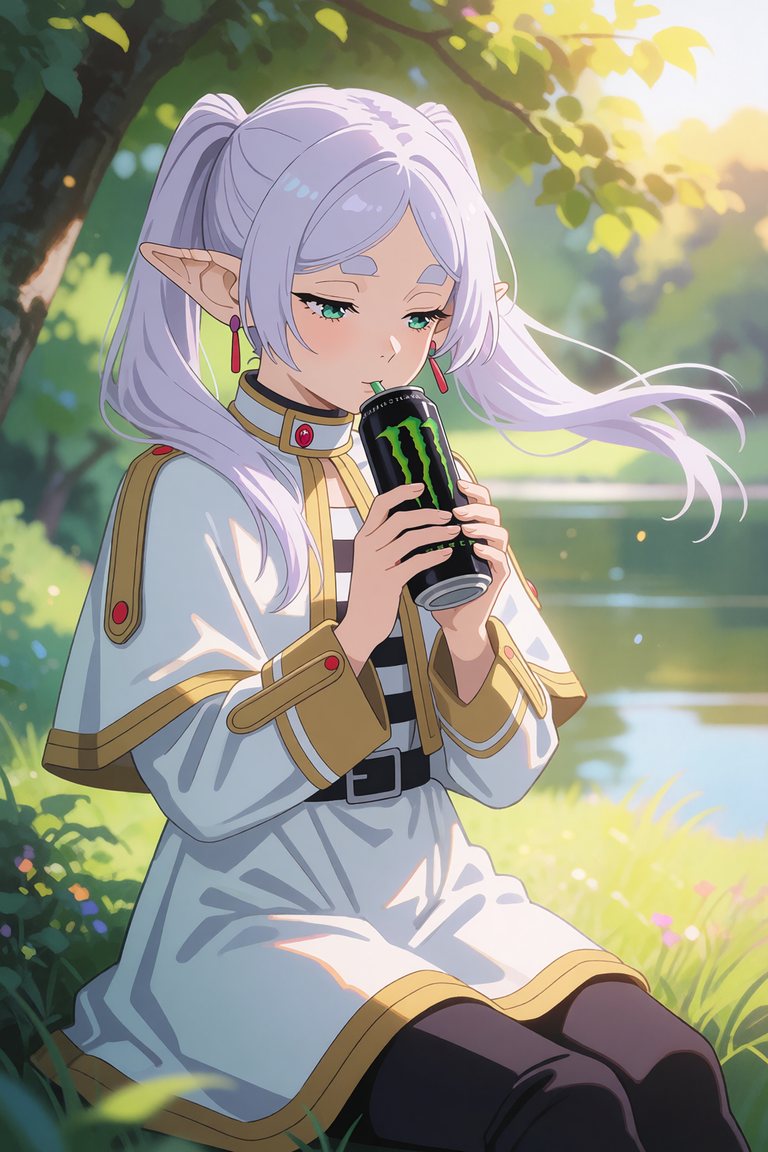
너는 내 컴퓨터에서 작업하는 AI 에이전트야. 아래 그림(프리렌 — 몬스터 에너지)을 생성해서 나에게 보여주는 것까지가 목표야. 나는 프로그래밍을 몰라. 각 단계를 네가 직접 검증하며 진행하고, 막히면 쉬운 말로 설명하고 멈춰.

[1] 환경 확인: 내 컴퓨터에 ComfyUI가 이미 설치돼 있는지 먼저 찾아봐 (예: C:\ComfyUI, ~/ComfyUI, 실행 중인 http://127.0.0.1:8188). 있으면 그대로 쓰고 [3]으로 건너뛰어.

[2] 설치 (없을 때만): 작업 폴더(예: C:\ComfyUI)에 ComfyUI를 git clone하고, Python 3.10+ 가상환경(venv)을 만든 뒤 내 GPU에 맞는 CUDA 빌드 PyTorch와 ComfyUI requirements를 설치해. 설치 후 torch.cuda.is_available()로 GPU 인식을 확인해. NVIDIA GPU가 없으면 진행하지 말고 알려줘.

[3] 모델 준비: 아래 파일이 없으면 HuggingFace 저장소 Comfy-Org/Krea-2 에서 받아 각 폴더에 넣어 (대용량이니 중단돼도 이어받기 가능한 방식으로, 예: curl -L -C -):
   - diffusion_models/krea2_turbo_fp8_scaled.safetensors (~12.5GB) → ComfyUI/models/diffusion_models/
   - text_encoders/qwen3vl_4b_fp8_scaled.safetensors (~5GB) → ComfyUI/models/text_encoders/
   - vae/qwen_image_vae.safetensors (~0.25GB) → ComfyUI/models/vae/
   LoRA: ComfyUI/models/loras 에 "masterpieces" v5.1 LoRA 파일이 있으면 strength 1.5로 사용하고, 없으면 LoRA 없이 진행해 (톤이 조금 달라질 수 있다고 나에게 알려줘).

[4] 서버 실행: ComfyUI 서버를 기본 VRAM 모드로 실행해. --highvram 은 절대 쓰지 마 (VRAM을 넘겨 시스템 메모리로 폴백되면 극도로 느려짐). http://127.0.0.1:8188/system_stats 가 200인지 확인해.

[5] 워크플로우 구성: /object_info 로 노드 파라미터(enum)를 검증한 뒤 아래 구조의 txt2img API 워크플로우를 만들어:
   UNETLoader(krea2_turbo_fp8_scaled, weight_dtype "default")
     → (LoRA가 있으면) LoraLoaderModelOnly(strength 1.5)
   CLIPLoader(qwen3vl_4b_fp8_scaled, type "krea2")
   VAELoader(qwen_image_vae)
   CLIPTextEncode(아래 이미지 프롬프트) → positive
   ConditioningZeroOut(positive) → negative   # CFG 1이라 네거티브 대신 zero-out
   EmptyLatentImage(1024x1536)
   KSampler(steps 8, cfg 1.0, sampler_name "euler_ancestral", scheduler "beta", denoise 1.0, seed 6496982698991095)
   VAEDecode → SaveImage

[6] 생성 & 확인: 이미지 1장을 생성하고, 저장된 파일을 열어서 나에게 보여줘.

이미지 프롬프트 (아래 문장을 그대로 사용):
masterpiece, very aesthetic, anime illustration. Frieren from Sousou no Frieren, a young elf mage with very long white hair tied in twintails, green eyes with colored eyelashes, pointy elf ears, wearing her signature white and gold capelet over a striped dress and dark pantyhose. She is holding and sipping a tall can of Monster Energy drink with a green claw-mark logo. Serene outdoor nature setting beneath a tree with soft dappled sunlight, lush greenery and a calm lake in the background, gentle warm cinematic lighting, light dispersion and subsurface scattering, her hair floating softly in the breeze. Soft anime art style with a warm, consistent color tone, calm mood.
3. 셀피
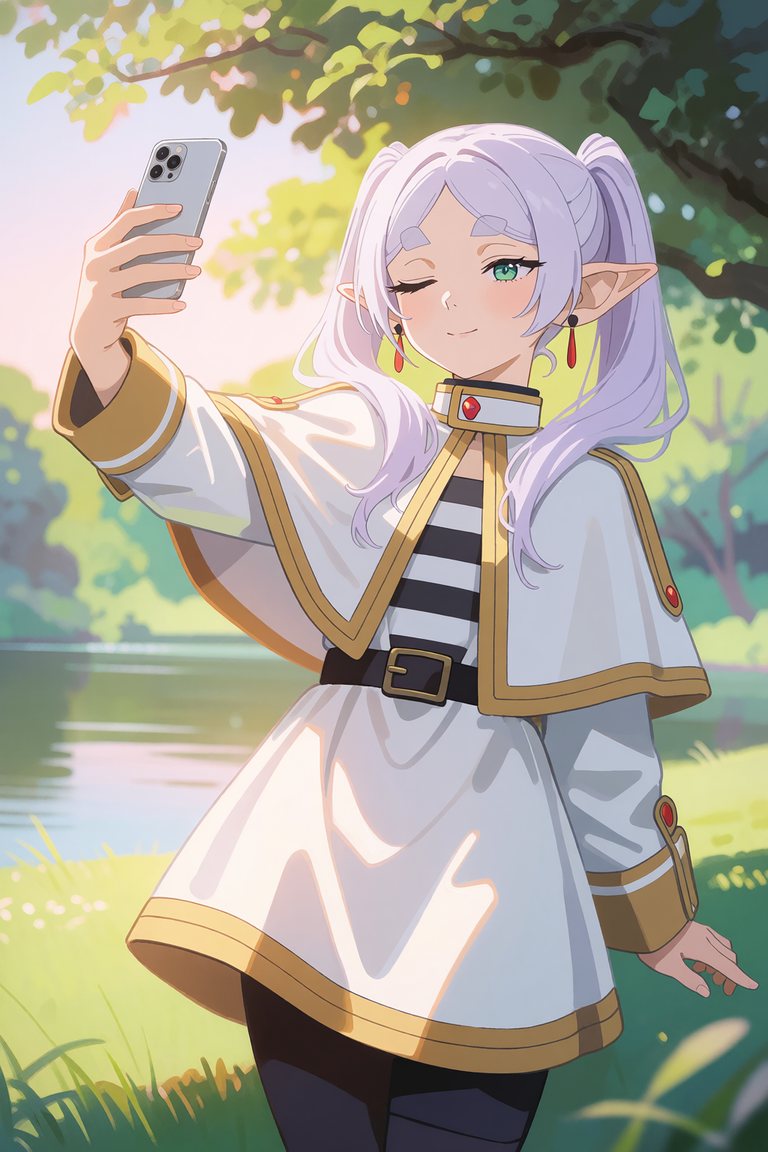
너는 내 컴퓨터에서 작업하는 AI 에이전트야. 아래 그림(프리렌 — 셀피)을 생성해서 나에게 보여주는 것까지가 목표야. 나는 프로그래밍을 몰라. 각 단계를 네가 직접 검증하며 진행하고, 막히면 쉬운 말로 설명하고 멈춰.

[1] 환경 확인: 내 컴퓨터에 ComfyUI가 이미 설치돼 있는지 먼저 찾아봐 (예: C:\ComfyUI, ~/ComfyUI, 실행 중인 http://127.0.0.1:8188). 있으면 그대로 쓰고 [3]으로 건너뛰어.

[2] 설치 (없을 때만): 작업 폴더(예: C:\ComfyUI)에 ComfyUI를 git clone하고, Python 3.10+ 가상환경(venv)을 만든 뒤 내 GPU에 맞는 CUDA 빌드 PyTorch와 ComfyUI requirements를 설치해. 설치 후 torch.cuda.is_available()로 GPU 인식을 확인해. NVIDIA GPU가 없으면 진행하지 말고 알려줘.

[3] 모델 준비: 아래 파일이 없으면 HuggingFace 저장소 Comfy-Org/Krea-2 에서 받아 각 폴더에 넣어 (대용량이니 중단돼도 이어받기 가능한 방식으로, 예: curl -L -C -):
   - diffusion_models/krea2_turbo_fp8_scaled.safetensors (~12.5GB) → ComfyUI/models/diffusion_models/
   - text_encoders/qwen3vl_4b_fp8_scaled.safetensors (~5GB) → ComfyUI/models/text_encoders/
   - vae/qwen_image_vae.safetensors (~0.25GB) → ComfyUI/models/vae/
   LoRA: ComfyUI/models/loras 에 "masterpieces" v5.1 LoRA 파일이 있으면 strength 1.5로 사용하고, 없으면 LoRA 없이 진행해 (톤이 조금 달라질 수 있다고 나에게 알려줘).

[4] 서버 실행: ComfyUI 서버를 기본 VRAM 모드로 실행해. --highvram 은 절대 쓰지 마 (VRAM을 넘겨 시스템 메모리로 폴백되면 극도로 느려짐). http://127.0.0.1:8188/system_stats 가 200인지 확인해.

[5] 워크플로우 구성: /object_info 로 노드 파라미터(enum)를 검증한 뒤 아래 구조의 txt2img API 워크플로우를 만들어:
   UNETLoader(krea2_turbo_fp8_scaled, weight_dtype "default")
     → (LoRA가 있으면) LoraLoaderModelOnly(strength 1.5)
   CLIPLoader(qwen3vl_4b_fp8_scaled, type "krea2")
   VAELoader(qwen_image_vae)
   CLIPTextEncode(아래 이미지 프롬프트) → positive
   ConditioningZeroOut(positive) → negative   # CFG 1이라 네거티브 대신 zero-out
   EmptyLatentImage(1024x1536)
   KSampler(steps 8, cfg 1.0, sampler_name "euler_ancestral", scheduler "beta", denoise 1.0, seed 7793546279848779)
   VAEDecode → SaveImage

[6] 생성 & 확인: 이미지 1장을 생성하고, 저장된 파일을 열어서 나에게 보여줘.

이미지 프롬프트 (아래 문장을 그대로 사용):
masterpiece, very aesthetic, anime illustration. Frieren from Sousou no Frieren, a young elf mage with very long white hair tied in twintails, green eyes with colored eyelashes, pointy elf ears, wearing her signature white and gold capelet over a striped dress and dark pantyhose. She is taking a selfie with a modern smartphone held at arm's length, a playful wink. Serene outdoor nature setting beneath a tree with soft dappled sunlight, lush greenery and a calm lake in the background, gentle warm cinematic lighting, light dispersion and subsurface scattering, her hair floating softly in the breeze. Soft anime art style with a warm, consistent color tone, calm mood.
4. 컵라면

너는 내 컴퓨터에서 작업하는 AI 에이전트야. 아래 그림(프리렌 — 컵라면)을 생성해서 나에게 보여주는 것까지가 목표야. 나는 프로그래밍을 몰라. 각 단계를 네가 직접 검증하며 진행하고, 막히면 쉬운 말로 설명하고 멈춰.

[1] 환경 확인: 내 컴퓨터에 ComfyUI가 이미 설치돼 있는지 먼저 찾아봐 (예: C:\ComfyUI, ~/ComfyUI, 실행 중인 http://127.0.0.1:8188). 있으면 그대로 쓰고 [3]으로 건너뛰어.

[2] 설치 (없을 때만): 작업 폴더(예: C:\ComfyUI)에 ComfyUI를 git clone하고, Python 3.10+ 가상환경(venv)을 만든 뒤 내 GPU에 맞는 CUDA 빌드 PyTorch와 ComfyUI requirements를 설치해. 설치 후 torch.cuda.is_available()로 GPU 인식을 확인해. NVIDIA GPU가 없으면 진행하지 말고 알려줘.

[3] 모델 준비: 아래 파일이 없으면 HuggingFace 저장소 Comfy-Org/Krea-2 에서 받아 각 폴더에 넣어 (대용량이니 중단돼도 이어받기 가능한 방식으로, 예: curl -L -C -):
   - diffusion_models/krea2_turbo_fp8_scaled.safetensors (~12.5GB) → ComfyUI/models/diffusion_models/
   - text_encoders/qwen3vl_4b_fp8_scaled.safetensors (~5GB) → ComfyUI/models/text_encoders/
   - vae/qwen_image_vae.safetensors (~0.25GB) → ComfyUI/models/vae/
   LoRA: ComfyUI/models/loras 에 "masterpieces" v5.1 LoRA 파일이 있으면 strength 1.5로 사용하고, 없으면 LoRA 없이 진행해 (톤이 조금 달라질 수 있다고 나에게 알려줘).

[4] 서버 실행: ComfyUI 서버를 기본 VRAM 모드로 실행해. --highvram 은 절대 쓰지 마 (VRAM을 넘겨 시스템 메모리로 폴백되면 극도로 느려짐). http://127.0.0.1:8188/system_stats 가 200인지 확인해.

[5] 워크플로우 구성: /object_info 로 노드 파라미터(enum)를 검증한 뒤 아래 구조의 txt2img API 워크플로우를 만들어:
   UNETLoader(krea2_turbo_fp8_scaled, weight_dtype "default")
     → (LoRA가 있으면) LoraLoaderModelOnly(strength 1.5)
   CLIPLoader(qwen3vl_4b_fp8_scaled, type "krea2")
   VAELoader(qwen_image_vae)
   CLIPTextEncode(아래 이미지 프롬프트) → positive
   ConditioningZeroOut(positive) → negative   # CFG 1이라 네거티브 대신 zero-out
   EmptyLatentImage(1024x1536)
   KSampler(steps 8, cfg 1.0, sampler_name "euler_ancestral", scheduler "beta", denoise 1.0, seed 5689492889764326)
   VAEDecode → SaveImage

[6] 생성 & 확인: 이미지 1장을 생성하고, 저장된 파일을 열어서 나에게 보여줘.

이미지 프롬프트 (아래 문장을 그대로 사용):
masterpiece, very aesthetic, anime illustration. Frieren from Sousou no Frieren, a young elf mage with very long white hair tied in twintails, green eyes with colored eyelashes, pointy elf ears, wearing her signature white and gold capelet over a striped dress and dark pantyhose. She is happily eating instant cup noodles, lifting noodles with chopsticks, steam rising. Serene outdoor nature setting beneath a tree with soft dappled sunlight, lush greenery and a calm lake in the background, gentle warm cinematic lighting, light dispersion and subsurface scattering, her hair floating softly in the breeze. Soft anime art style with a warm, consistent color tone, calm mood.
5. 게임 삼매경
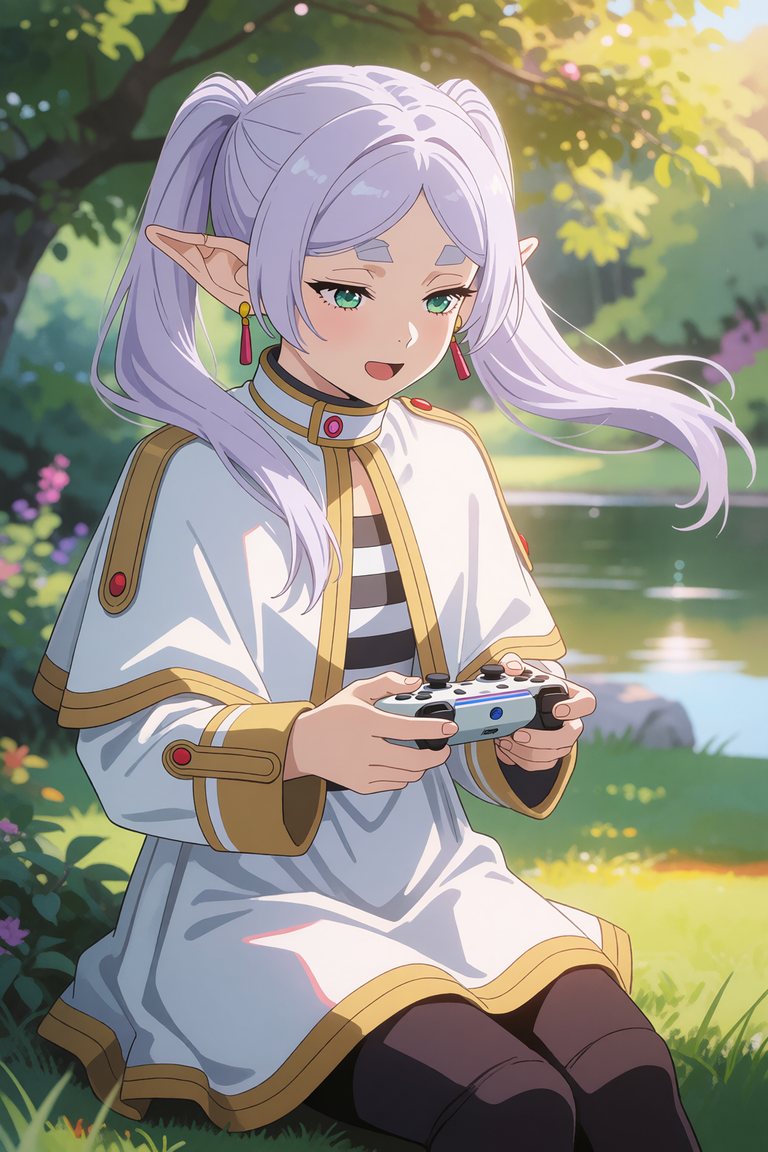
너는 내 컴퓨터에서 작업하는 AI 에이전트야. 아래 그림(프리렌 — 게임 삼매경)을 생성해서 나에게 보여주는 것까지가 목표야. 나는 프로그래밍을 몰라. 각 단계를 네가 직접 검증하며 진행하고, 막히면 쉬운 말로 설명하고 멈춰.

[1] 환경 확인: 내 컴퓨터에 ComfyUI가 이미 설치돼 있는지 먼저 찾아봐 (예: C:\ComfyUI, ~/ComfyUI, 실행 중인 http://127.0.0.1:8188). 있으면 그대로 쓰고 [3]으로 건너뛰어.

[2] 설치 (없을 때만): 작업 폴더(예: C:\ComfyUI)에 ComfyUI를 git clone하고, Python 3.10+ 가상환경(venv)을 만든 뒤 내 GPU에 맞는 CUDA 빌드 PyTorch와 ComfyUI requirements를 설치해. 설치 후 torch.cuda.is_available()로 GPU 인식을 확인해. NVIDIA GPU가 없으면 진행하지 말고 알려줘.

[3] 모델 준비: 아래 파일이 없으면 HuggingFace 저장소 Comfy-Org/Krea-2 에서 받아 각 폴더에 넣어 (대용량이니 중단돼도 이어받기 가능한 방식으로, 예: curl -L -C -):
   - diffusion_models/krea2_turbo_fp8_scaled.safetensors (~12.5GB) → ComfyUI/models/diffusion_models/
   - text_encoders/qwen3vl_4b_fp8_scaled.safetensors (~5GB) → ComfyUI/models/text_encoders/
   - vae/qwen_image_vae.safetensors (~0.25GB) → ComfyUI/models/vae/
   LoRA: ComfyUI/models/loras 에 "masterpieces" v5.1 LoRA 파일이 있으면 strength 1.5로 사용하고, 없으면 LoRA 없이 진행해 (톤이 조금 달라질 수 있다고 나에게 알려줘).

[4] 서버 실행: ComfyUI 서버를 기본 VRAM 모드로 실행해. --highvram 은 절대 쓰지 마 (VRAM을 넘겨 시스템 메모리로 폴백되면 극도로 느려짐). http://127.0.0.1:8188/system_stats 가 200인지 확인해.

[5] 워크플로우 구성: /object_info 로 노드 파라미터(enum)를 검증한 뒤 아래 구조의 txt2img API 워크플로우를 만들어:
   UNETLoader(krea2_turbo_fp8_scaled, weight_dtype "default")
     → (LoRA가 있으면) LoraLoaderModelOnly(strength 1.5)
   CLIPLoader(qwen3vl_4b_fp8_scaled, type "krea2")
   VAELoader(qwen_image_vae)
   CLIPTextEncode(아래 이미지 프롬프트) → positive
   ConditioningZeroOut(positive) → negative   # CFG 1이라 네거티브 대신 zero-out
   EmptyLatentImage(1024x1536)
   KSampler(steps 8, cfg 1.0, sampler_name "euler_ancestral", scheduler "beta", denoise 1.0, seed 5490449333789223)
   VAEDecode → SaveImage

[6] 생성 & 확인: 이미지 1장을 생성하고, 저장된 파일을 열어서 나에게 보여줘.

이미지 프롬프트 (아래 문장을 그대로 사용):
masterpiece, very aesthetic, anime illustration. Frieren from Sousou no Frieren, a young elf mage with very long white hair tied in twintails, green eyes with colored eyelashes, pointy elf ears, wearing her signature white and gold capelet over a striped dress and dark pantyhose. She is holding a modern wireless game controller with both hands, a focused playful expression. Serene outdoor nature setting beneath a tree with soft dappled sunlight, lush greenery and a calm lake in the background, gentle warm cinematic lighting, light dispersion and subsurface scattering, her hair floating softly in the breeze. Soft anime art style with a warm, consistent color tone, calm mood.
같은 방식으로 가운데 컨셉 문장 하나만 바꾸면 어떤 상황이든 같은 그림체로 뽑을 수 있어요. 시드를 지우면 매번 다른 구도가 나옵니다.